Claude Usage on a 240-Pixel Screen
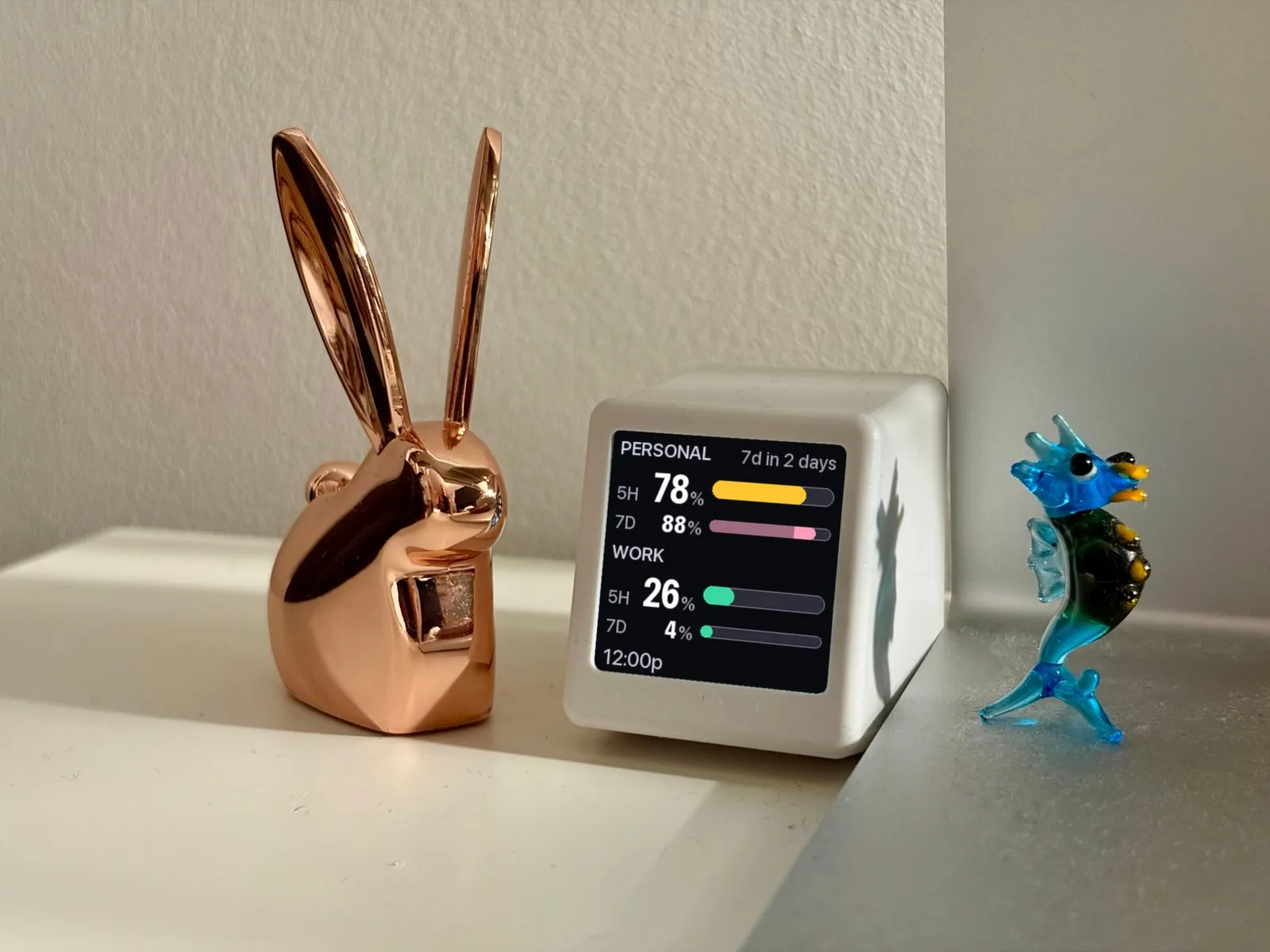
Claude Code has usage limits on a five-hour window and a weekly cap, and I kept discovering where I stood in the middle of something I didn’t want to stop. I wanted the answer to be ambient — a thing I glance at, not a thing I query.
So it lives on a $20 GeekMagic SmallTV Pro next to my keyboard, updated from my Mac every five minutes. One glance answers: how much runway do I have? Unplug it and it goes back to being a clock.
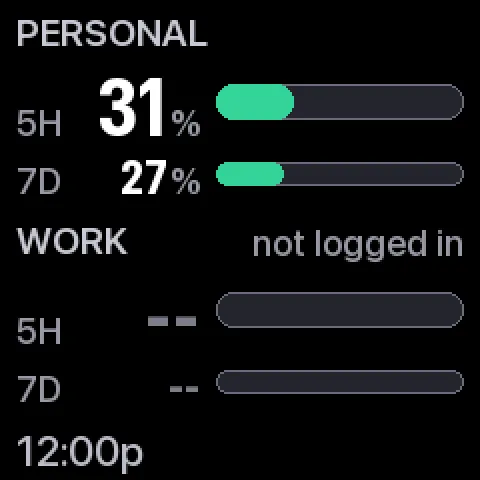
Two dashes are not zero percent
The most useful decision on the whole panel is what it does when it doesn’t know something.
-- means unknown. It is deliberately not 0%. A zero is an answer — it says you’ve used nothing and have everything left, which is the single most dangerous thing to tell someone about a rate limit when the truth is that the token expired an hour ago. Every failure the thing can have is named on the screen instead: not logged in, token expired, 52m old.
That last one matters more than it looks. A stale reading is not a broken reading, and it isn’t a fresh one either. Saying “52m old” lets you decide how much to trust the number, which is a decision the display has no business making for you.
Review it at actual size or don’t review it
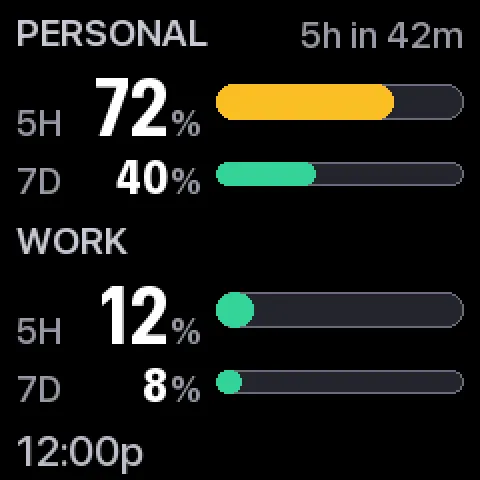
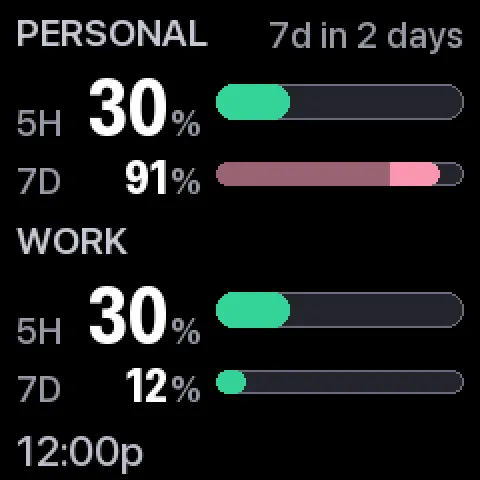
Every state the renderer can produce gets rendered onto one contact sheet, and that sheet is shown at 240 pixels — actual size.
Reviewing a 240px design at 2× flatters it. The type looks crisp, the bars look precise, the color separation looks obvious. Then you put it on the shelf and squint. So the review happens at the size the thing actually is, which is the only honest way to look at it, and the same states feed the contrast tests — checked for a red-green colorblind viewer and after JPEG compression, because the device re-encodes what it’s sent.
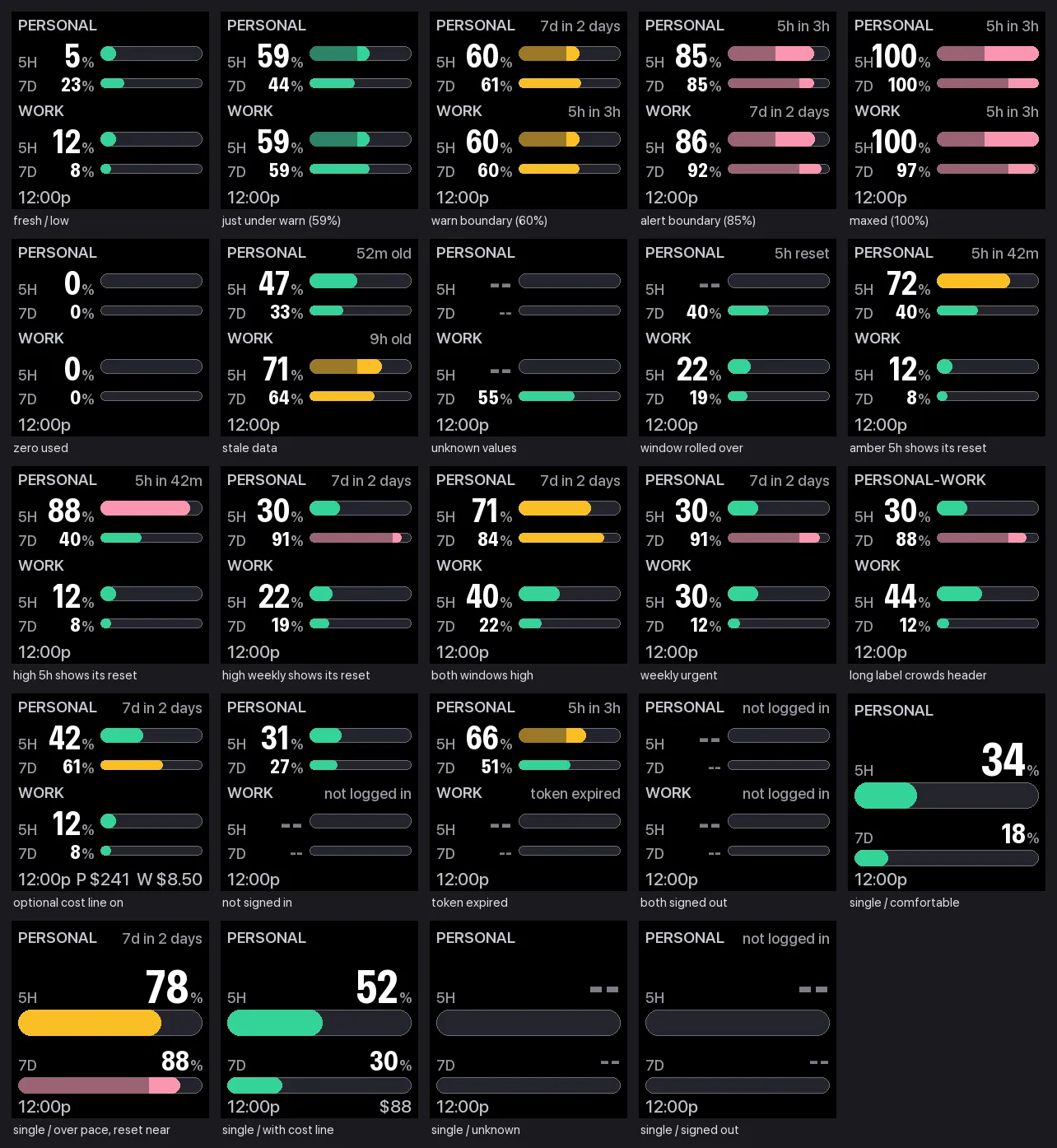
The sheet and the tests read from one list of states, and that constraint does real work: a state that isn’t in the list is a state nobody has ever looked at. Adding a new failure mode without adding it to the list is possible, but you have to do it deliberately, and then it never appears on the contact sheet and you notice.
The thresholds are guesses, and the project says so
Amber starts at 60% and coral at 85%. Those are round numbers I picked by hand. Nothing derived them from how these accounts actually get used, and the daily volume underneath them has swung from $2 to $1,354 inside a fortnight — which is the shape a fixed cutoff fits worst.
The honest move would have been to either ground them or drop them. What I did instead was log every reading to a plain CSV, so the distribution can replace the guess later — median, p90, max, and how often 60% and 85% are actually reached, per account and per window.
The off switch is written in bash
The kill switch needs no virtualenv, no Python, and no valid config. It parses the device address out of the config file with sed and falls back to a hardcoded default if even that is missing.
That’s not stubbornness about tooling. The moment you most want to pull the plug is the moment something is broken, and a kill switch that imports the project it’s killing is useless exactly then. It’s idempotent, it waits for the system to actually drop the job rather than assuming, and if the device is offline it finishes the local teardown anyway and warns you the panel will still be showing a stale frame when it comes back.
It also refuses to edit ~/.claude/settings.json. If something in there references this project, it tells you to remove the line by hand rather than rewriting your config behind your back. A teardown script that quietly edits files it didn’t create is how you lose trust in a teardown script.
The repo is public under MIT.
Impact
240×240
The entire canvas, in pixels
14
Display states, every one reviewed at actual size
5 min
Refresh cadence, through reboots and sleep