Construction Scenario Comparison
Join is project management for the people who build actual buildings. As Head of Design, I lead a small team and ship product across the platform.
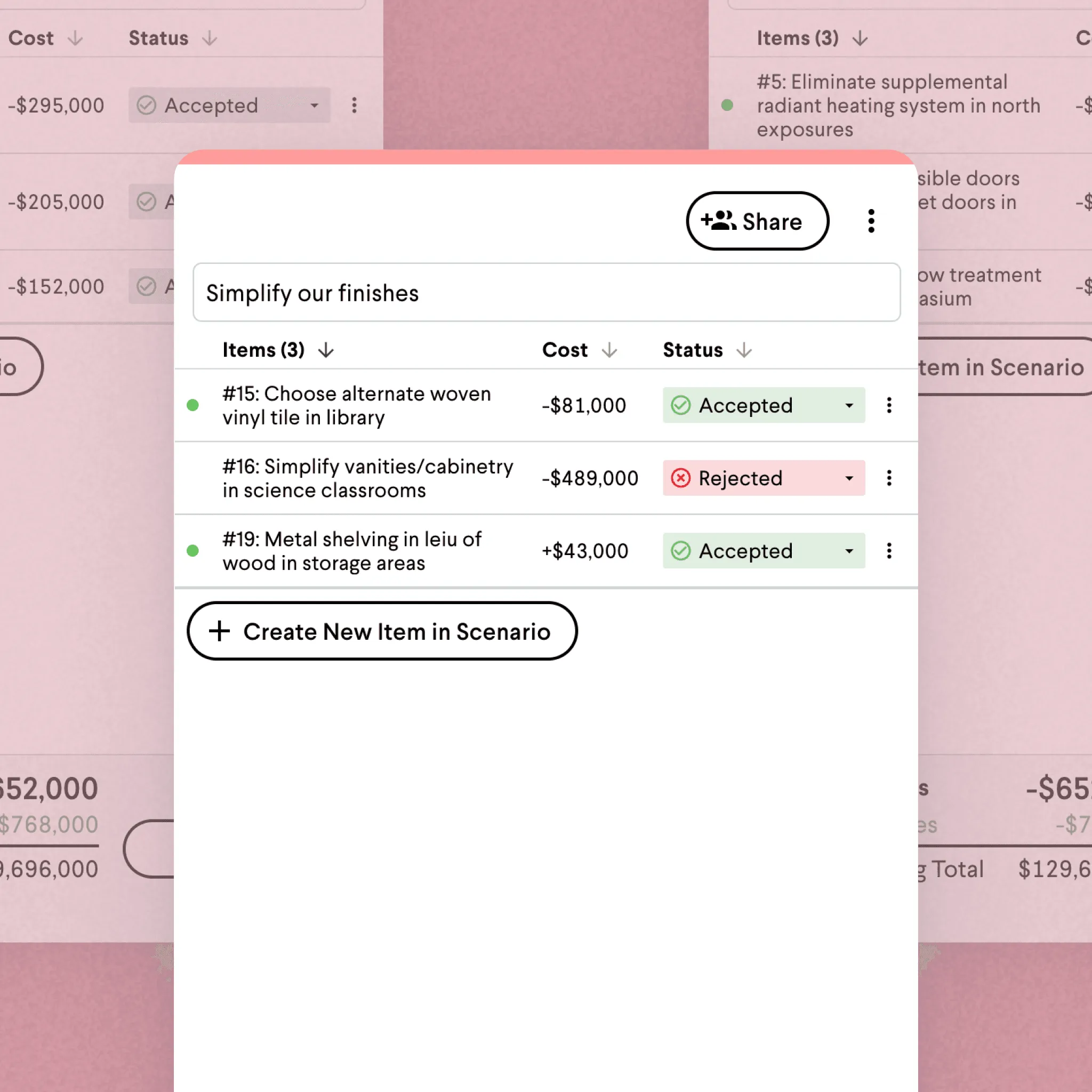
Scenarios is a side-by-side comparison view for construction project decisions. A contractor doesn’t decide “which countertop” in isolation; they decide “which finish package for kitchens and bathrooms” against budget and schedule. Before Scenarios, Join asked users to evaluate one decision at a time, which didn’t match how owners actually weighed options. Real decisions are made on bundled packages — finishes, schedule, scope — against each other.
Decisions as packages
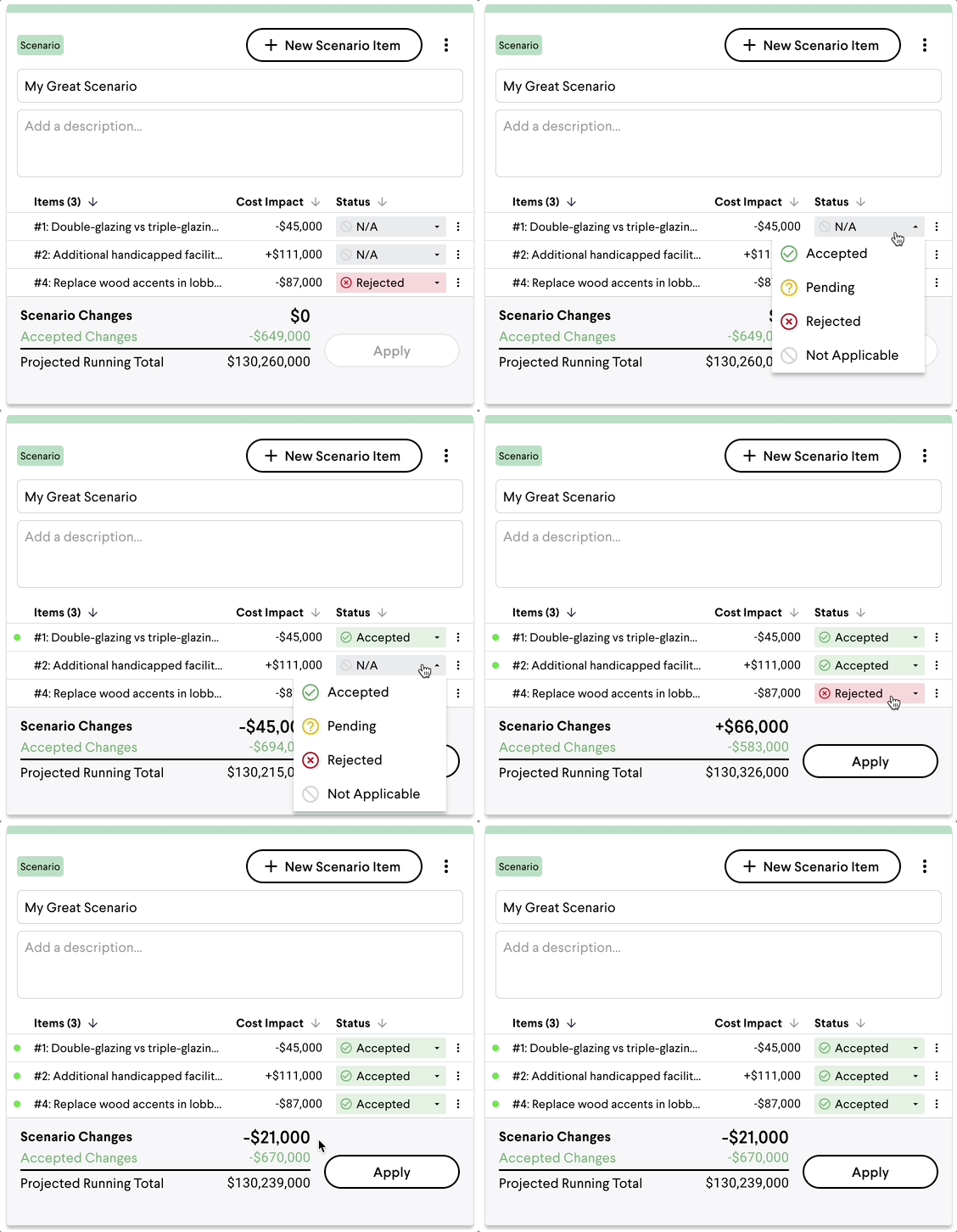
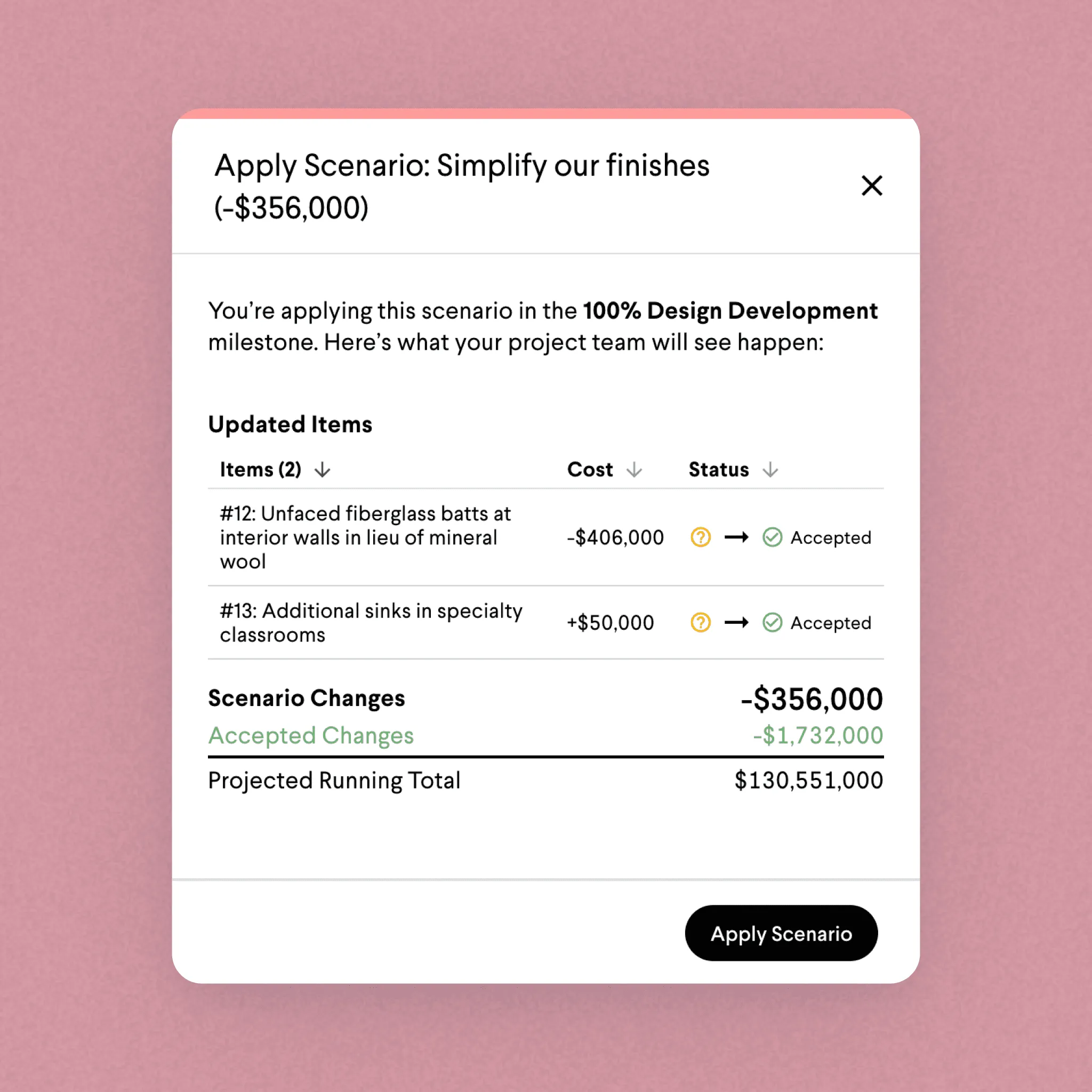
A contractor builds two options — say, premium finishes on a compressed schedule against a value-engineered version that stretches the timeline. Join recalculates every linked line item underneath, and the owner reviews two packages instead of forty individual decisions.
A flat comparison, no ranking
The hardest design decision was about hierarchy. Owners on multi-million-dollar projects didn’t want to be steered toward a “best” option; they wanted to weigh trade-offs themselves. We made the comparison deliberately flat — every dimension visible, no option marked as preferred.
Progressive disclosure
The default view is intentionally lean — users click into specific dimensions when they need detail. The owner-facing read stays calm for sign-off meetings while the contractor side keeps the richer working data for internal use.
Results
The scenario-decision cycle dropped 50%, measured from creation through owner sign-off. Architects accounted for 20% of Scenarios users — a segment Join hadn’t been designing for. The comparison view matched how they presented design options to their own clients, and they found the feature on their own.
“This is like a happy meal for decision making. Everything you need, all in one place.”
“We used Scenarios on a $150M job and it cut our decision timeline in half.”
Credits
Shipped at Join, 2024.
Impact
50%
Reduction in scenario-decision cycle time
20%
Share of users who are architects, a new audience for Join